
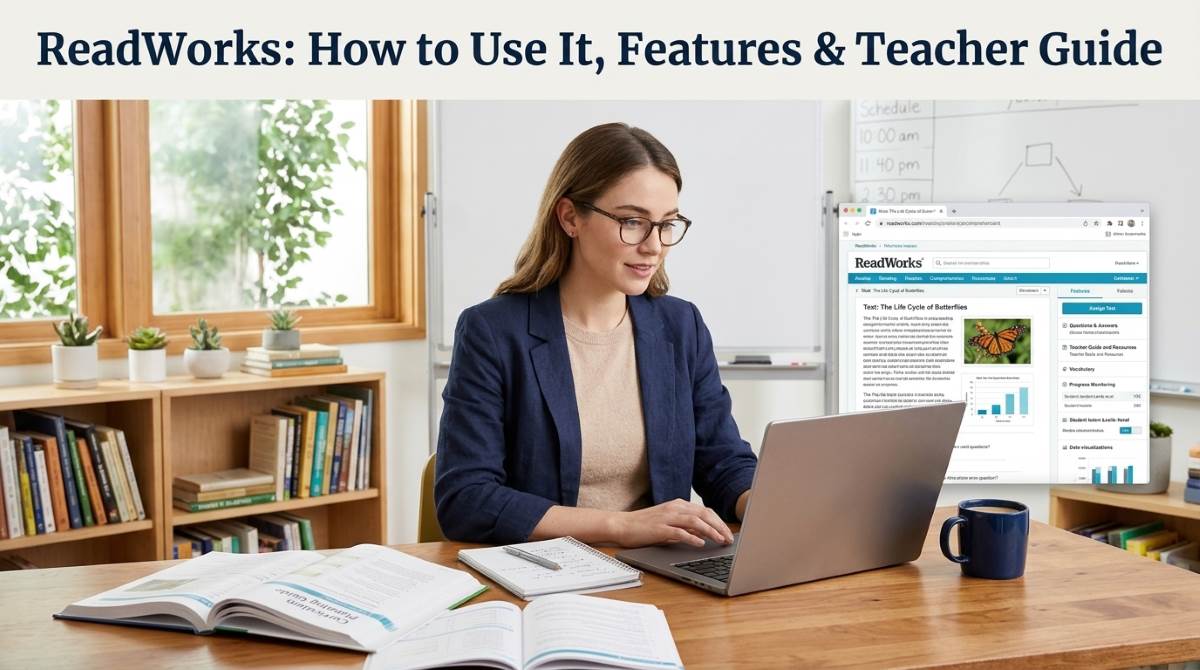
ReadWorks: Signup and Use to Improve Student’s Reading
Helping students become confident readers takes more than asking them to read a passage and answer questions. Some students struggle to understand unfamiliar vocabulary. Others can read the words but cannot explain the main idea, make connections, or identify evidence in a text. Teachers also face the challenge of finding suitable reading materials for students with different abilities without spending hours preparing separate activities.
ReadWorks offers a practical way to address these challenges. It provides teachers with a large collection of reading passages, comprehension questions, digital assignments, audio support, vocabulary activities, and structured reading routines. Teachers can use these materials to support classroom instruction, independent reading, small-group activities, and reading practice at home.
However, simply assigning passages does not automatically improve reading comprehension. Teachers need to select appropriate texts, establish clear learning goals, guide students through reading, and use their responses to plan follow-up instruction.
In this guide, you will learn what ReadWorks is, how to create an account, how to find and assign reading materials, how to use its main features, and how to make the platform part of an effective classroom reading routine.
What Is ReadWorks?
ReadWorks is an educational reading platform designed to help teachers develop students’ reading comprehension, vocabulary, background knowledge, and reading habits. It provides a collection of fiction and nonfiction passages, instructional materials, and digital tools that educators can use with students across different grade levels.
Teachers can search for reading materials by grade, topic, and other available filters. They can assign passages digitally, print them for classroom use, or project materials during whole-class instruction.
The platform also offers structured resources such as Article-A-Day, Student Library, StepReads, audio support, eBooks, and comprehension questions. These resources help teachers provide reading opportunities that respond to different student needs.
One important advantage is that ReadWorks does not have to be used exclusively in a computer-based classroom. Teachers can print passages, read them aloud, organize group discussions, or combine online activities with traditional reading instruction.
Official website: Visit ReadWorks
Is ReadWorks Free for Teachers?
Yes. ReadWorks describes its core reading library and teacher platform as free for educators. Teachers can create an account, establish classes, search for reading materials, and use many of its instructional resources without paying a subscription fee.
The platform’s free access makes it useful for teachers and schools looking for additional reading materials without purchasing a separate reading program.
Before using any particular feature, check its current availability and instructions on the official website. Platform features and account settings can change over time.
Why Should Teachers Use ReadWorks?
Reading comprehension develops through consistent opportunities to read, think, discuss, and respond to texts. Students need exposure to different topics, opportunities to learn new vocabulary, and guidance in identifying important information.
ReadWorks can support these classroom needs in several ways.
1. Access to a Wide Range of Reading Passages
Teachers often spend considerable time searching for texts that match their students’ grade levels and learning objectives. ReadWorks provides a searchable library of fiction and nonfiction passages that can help reduce this preparation time.
For example, a Grade 5 teacher teaching an environmental science unit might search for passages about pollution, recycling, ecosystems, or water conservation.
Instead of introducing every topic through a textbook, the teacher can select a related reading passage and use it to build background knowledge before a classroom discussion or practical activity.
2. Support for Reading Comprehension
Reading comprehension involves understanding information, identifying the main idea, making inferences, recognizing relationships, and using evidence to explain an answer.
ReadWorks provides passages with question sets that teachers can use to practise these skills.
For example, after reading a passage about the water cycle, students might answer questions such as:
- What is the main idea of the passage?
- How does evaporation contribute to the water cycle?
- What evidence explains why clouds form?
- What might happen if the water cycle were disrupted?
These questions encourage students to move beyond reading individual sentences and understand how information connects.
3. Opportunities to Develop Vocabulary
Students sometimes understand a passage poorly because they encounter unfamiliar words. If teachers do not address these words, students may miss important information.
ReadWorks provides vocabulary-related supports with selected reading materials. Teachers can use these resources to introduce important words, discuss their meanings, and encourage students to use them in their own sentences.
For example, while teaching a passage about habitats, a teacher might introduce:
- Habitat
- Adaptation
- Predator
- Prey
- Survival
Students can identify these words in the passage, explain their meanings, and use them to describe how animals survive in different environments.
4. Reading Support for Different Learners
A classroom rarely contains students who all read at the same level. Some students need additional support, while others are ready for more challenging texts.
ReadWorks offers differentiation options, including related texts with different levels of complexity in supported collections. Its StepReads and Boost and Challenge materials can help teachers provide access to related topics while adjusting the reading demands.
This means students can work toward a shared learning goal without every student necessarily receiving an identical text.
5. Digital and Printable Learning Options
Not every school has enough computers or reliable internet access for every student. ReadWorks supports different classroom arrangements by allowing teachers to use digital assignments and printed materials.
A teacher can assign a passage online to one group while providing printed copies to another. A whole-class lesson can also use a projected passage for guided reading.
This flexibility makes the platform useful in classrooms with different levels of technology access.
Main Features of ReadWorks Teachers Should Know
Before using the platform, it helps to understand its main resources and how each one can support instruction.
1. Reading Passages
The reading passage library is one of the most useful starting points for teachers.
It includes fiction and nonfiction texts covering a wide range of subjects. Teachers can search for material connected to classroom topics, grade levels, and reading objectives.
How teachers can use reading passages:
- Identify the reading skill or subject you want students to practise.
- Search for a passage related to that objective.
- Review the text before assigning it.
- Identify unfamiliar vocabulary and important ideas.
- Decide whether students will read independently, work in pairs, or participate in a teacher-led activity.
- Add comprehension questions or a follow-up task.
Classroom example:
A Grade 6 teacher is teaching a social studies lesson about ancient civilizations. The teacher searches for a suitable passage about ancient Egypt.
Before reading, students examine the title and share what they already know. They then read the passage and identify three facts about Egyptian society. At the end, students explain how the Nile River influenced farming and settlement.
The passage becomes a starting point for learning rather than an isolated reading exercise.
2. Article-A-Day
Article-A-Day is a structured reading routine that encourages students to read nonfiction texts regularly and build knowledge around related topics.
ReadWorks organizes articles into topic-based sets. Students read or listen to an article, record what they have learned in a Book of Knowledge, and share selected ideas with classmates.
The routine is designed to take approximately 10 to 15 minutes each day when implemented consistently.
How to use Article-A-Day in your classroom:
Step 1: Select a topic-based collection
Choose a collection connected to a subject or topic your students are studying. For example, a science teacher might select a set about animals, oceans, weather, or the human body.
Step 2: Establish the purpose
Explain why students are reading.
You might say:
“Today, we are reading to discover new information about ocean life. Pay attention to facts that help explain how marine animals survive.”
A clear purpose helps students focus on meaningful information.
Step 3: Students read or listen
Students read the selected article independently or use the available audio support. Teachers can also read the text aloud when appropriate.
Step 4: Students record their learning
Ask students to write two or three things they learned in their Book of Knowledge.
For younger students or those who are still developing writing skills, drawing and explaining an idea can be an appropriate alternative.
Step 5: Share knowledge
Invite a few students to share their discoveries. Record useful ideas in a class knowledge record so students can revisit information from earlier readings.
Example of a five-day classroom routine:
| Day | Reading topic | Student task |
| Monday | Ocean habitats | Identify three facts about ocean environments |
| Tuesday | Marine animals | Explain how one animal survives |
| Wednesday | Ocean pollution | Identify causes and effects |
| Thursday | Protecting oceans | Suggest two ways to reduce pollution |
| Friday | Review | Connect information from the week’s articles |
This routine helps students see relationships between texts. Rather than reading unrelated passages, they gradually build knowledge about a topic.
ReadWorks recommends regular implementation, with students reading at least four articles from a set each week for the greatest benefit from its Article-A-Day routine. ReadWorks Article-A-Day guide.
3. StepReads
StepReads are adapted versions of selected passages that provide additional reading support while keeping students connected to the same topic.
They can be useful when students need help accessing a text that may otherwise be too difficult.
For example, imagine that a class is studying the solar system. Most students read the main passage, while a student who needs additional reading support uses an adapted version of the same topic.
Both students can participate in the class discussion and work toward understanding the same central concept.
How teachers can use StepReads effectively:
- Identify students who need additional reading support.
- Select a passage with an appropriate support option.
- Keep the learning objective consistent across groups.
- Provide additional explanation when students encounter unfamiliar concepts.
- Ask all students to share what they learned.
Do not use an adapted passage as a permanent replacement for challenging reading. Instead, use it as a support that helps students develop the skills needed to work with increasingly complex texts.
4. Audio Support
Some students benefit from hearing a passage while following the written text. Audio support can help students engage with reading material when independent decoding is difficult.
Teachers can use audio to support:
- Students who are developing reading fluency.
- English language learners.
- Students who benefit from listening while reading.
- Students who need additional access to the content.
Classroom example:
A Grade 4 student struggles to read a passage about natural disasters independently. The teacher asks the student to listen to the audio while following the words on the screen.
After listening, the student identifies the main idea and discusses two details with a partner.
Audio should support reading instruction, not replace it in every situation. Students still need opportunities to practise reading words, building fluency, and understanding written language.
5. Student Library
The Student Library allows students to explore reading materials independently.
ReadWorks describes it as a collection of nonfiction and fiction passages, with reading recommendations informed by students’ interests and reading patterns.
Teachers can enable access for their classes through the relevant class settings.
How to use the Student Library:
- Open your teacher account.
- Go to the class administration area.
- Select the relevant class.
- Check the available Student Library settings.
- Enable access if appropriate.
- Explain how students can explore the available reading materials.
- Encourage students to choose topics that interest them.
Classroom example: Independent reading choice
Set aside 15 minutes twice a week for independent reading.
Students choose a passage from the Student Library. After reading, they complete a short response:
- What was the passage about?
- What new information did you learn?
- Which part interested you most?
- What question would you like to investigate next?
This activity gives students opportunities to practise reading while developing ownership of their learning.
6. Vocabulary Activities
Vocabulary instruction is more effective when students encounter words in meaningful contexts rather than memorizing definitions without understanding how the words are used.
ReadWorks includes vocabulary supports and activities with selected resources.
Teachers can extend these activities through a simple classroom routine:
- Select three to five important words from the passage.
- Ask students to locate each word in context.
- Discuss what the surrounding sentence suggests about its meaning.
- Explain the word using clear language.
- Ask students to create their own sentences.
- Revisit the words in later lessons.
For example, in a passage about ecosystems, students might learn the words organism, environment, and interdependence.
Ask students to use these words when explaining how plants, animals, and environmental conditions affect one another.
7. Comprehension Questions and Student Progress
Many ReadWorks passages include question sets that help students demonstrate what they understood.
Depending on the assignment and question type, teachers can review student responses and use available progress information to identify areas that need further instruction.
However, a score should not be treated as a complete picture of a student’s reading ability.
A student may answer a question incorrectly because of unfamiliar vocabulary, difficulty understanding the question, or a misunderstanding of the passage. Teachers should review responses and ask follow-up questions before deciding what support is needed.
How to Create a ReadWorks Teacher Account
Getting started is straightforward. Follow these steps to access the platform.
Step 1: Visit the official website
Open ReadWorks.org in your browser.
Step 2: Select the educator sign-up option
Look for the teacher or educator account registration option. Make sure you are creating an educator account rather than trying to register as a student.
Step 3: Enter your information
Complete the requested registration details. Follow the instructions displayed on the website.
Step 4: Access your teacher dashboard
After registering and signing in, explore the teacher dashboard. Familiarize yourself with the content library, class management, assignments, and progress areas.
Step 5: Create a class
Follow the class creation instructions in your account. You may need to enter class information and choose an available student access method.
Step 6: Add or invite students
Use the supported student sign-in or class setup process. ReadWorks provides different student access options, including roster-based and Google sign-in classes, as well as Google Classroom guidance.
Step 7: Explore the content library
Search for a passage related to your next lesson. Preview it before assigning it to students.
The exact registration and class setup screens may change, so follow the instructions currently displayed in your account.
How to Find and Assign Reading Passages on ReadWorks
Selecting an appropriate passage is one of the most important parts of using the platform. A passage should support a specific learning purpose rather than simply provide additional reading work.
Follow this process.
Step 1: Identify Your Learning Objective
Start by deciding what students should learn or practise.
For example:
- Identify the main idea.
- Find supporting details.
- Make inferences from a text.
- Understand unfamiliar vocabulary.
- Compare information from two passages.
- Explain cause-and-effect relationships.
A clear objective makes it easier to choose suitable reading material.
Step 2: Search for a Passage
Open the content or passage library and search for a topic, subject, or reading resource.
You might search for:
- Climate change
- Animal adaptations
- Historical events
- Healthy eating
- Space exploration
- Renewable energy
Use the available filters to narrow your search.
Step 3: Preview the Text
Do not assign a passage simply because its title matches your lesson.
Read it first and consider:
- Is the vocabulary suitable?
- Does the text match the students’ reading needs?
- Does it contain information related to the lesson objective?
- Is the passage long enough to support the intended activity?
- Will students need background information before reading?
Step 4: Review the Questions and Supports
Check the available comprehension questions, vocabulary resources, audio, and other supports.
Consider whether the questions encourage students to explain their thinking rather than simply locate individual words.
Step 5: Assign the Passage
Use the available assignment option and follow the instructions to select the class or students.
Depending on the available assignment settings, you may be able to choose digital or printable use and adjust relevant supports.
Step 6: Explain the Assignment to Students
Before students begin, explain:
- What they are expected to read.
- What they should focus on.
- Whether they should answer questions independently.
- Whether they can use audio or other reading supports.
- When and how they should submit their work.
A short explanation prevents confusion and helps students approach the task with purpose.
How to Use ReadWorks in Different Classroom Activities
ReadWorks becomes more valuable when teachers connect its passages to broader classroom instruction.
Here are practical ways to use the platform.
1. Before a Lesson: Activate Prior Knowledge
Students understand new information more easily when they can connect it to what they already know.
Before teaching a new topic, select a short passage that introduces the central concept.
Example: Teaching climate change
Before beginning a science unit, assign a passage about Earth’s atmosphere.
Ask students:
- What do you already know about the atmosphere?
- Why do temperatures change?
- What questions do you have about climate?
Students read the passage and record new information. Use their responses to introduce the next lesson.
This approach gives teachers an opportunity to identify misconceptions before instruction begins.
2. During a Lesson: Practise Close Reading
Close reading encourages students to examine a text carefully and pay attention to meaning, structure, and evidence.
Choose a passage connected to your learning objective.
Ask students to read it more than once, with a different purpose each time.
First reading: Identify the overall topic and main idea.
Second reading: Highlight important details and unfamiliar vocabulary.
Third reading: Answer a question that requires evidence from the text.
For example, after reading a passage about endangered animals, ask:
“What are the two main reasons this animal’s population is decreasing? Use evidence from the passage.”
This encourages students to support their answers with information rather than relying only on personal opinions.
3. After a Lesson: Reinforce Learning
A reading passage can help students revisit a topic after classroom instruction.
For example, after teaching a lesson about fractions, a teacher might use a passage involving measurement, recipes, or everyday mathematical applications.
Students read the passage and explain how the information connects to the concept taught earlier.
This makes reading relevant across different subject areas.
4. Use Reading Passages for Small-Group Instruction
Small-group teaching gives educators an opportunity to provide more focused support.
Divide students into groups based on the reading needs identified through classroom observation and assessment.
Example:
- Group A practises identifying the main idea.
- Group B works on vocabulary and context clues.
- Group C practises making inferences using textual evidence.
Select suitable passages or supports for each group.
Spend time listening to students explain their answers. Their reasoning often reveals more than a completed worksheet.
5. Create a Weekly Reading Challenge
A weekly reading challenge can encourage consistent reading habits without turning every activity into a test.
For example, ask students to complete three reading activities during the week.
| Day | Activity | Expected response |
| Monday | Read a nonfiction passage | Identify the main idea |
| Wednesday | Read a related passage | Record five important facts |
| Friday | Independent reading | Write a short reflection |
At the end of the week, invite students to share their most interesting discovery.
Recognize thoughtful responses, effort, and improvement rather than rewarding only the fastest readers.
How to Differentiate Reading Instruction with ReadWorks
Differentiation means adjusting the support, materials, or learning process so that students can work toward meaningful learning goals.
It does not mean creating a completely separate lesson for every student.
ReadWorks can help teachers organize reading activities for students with different needs.
1. Provide Additional Reading Support
Students who struggle with a passage may benefit from adapted texts, audio, teacher read-alouds, or vocabulary preparation.
For example, before asking students to read a passage about volcanoes, introduce the words eruption, magma, and lava.
Use pictures or simple explanations to make the terms understandable.
Then ask students to read the passage with the appropriate support.
2. Challenge Advanced Readers
Students who read confidently may need opportunities to analyse information more deeply.
Use more complex texts or challenge materials where available.
Ask questions such as:
- What is the author’s main argument?
- Which details provide the strongest evidence?
- Does the passage present more than one point of view?
- What additional information would help you evaluate the topic?
These questions encourage deeper thinking.
3. Support English Language Learners
Students learning English may understand a topic but struggle with unfamiliar academic vocabulary or sentence structures.
ReadWorks provides selected English Language Learner and extra support options for Article-A-Day assignments. Its support features include translated directions and purposes in several languages, sentence frames for the Book of Knowledge, and English audio versions of articles.
Teachers should check the current class and assignment settings to enable the relevant support options.
Example:
A student is learning about animal habitats.
Provide a sentence frame:
“One thing I learned about animal habitats is __________.”
Another useful frame is:
“An animal survives in its habitat by __________.”
These prompts give students a structure for expressing their understanding while continuing to develop academic language.
How to Use ReadWorks to Assess Student Understanding
Assessment should help teachers decide what to teach next. It should not simply produce a score.
ReadWorks assignments can provide useful information about student responses and progress. Teachers can use this information alongside classroom observations, discussions, written work, and reading conferences.
Consider the following process.
1. Review student responses
Look for patterns in incorrect answers. Are students struggling with the main idea, vocabulary, inferences, or locating evidence?
2. Identify common difficulties
If several students misunderstand the same concept, the issue may require whole-class reteaching.
3. Provide individual feedback
Give students clear feedback that explains what they did well and what they should improve.
For example:
“You identified the correct topic, but your answer needs a supporting detail from the passage.”
4. Plan follow-up instruction
Use the results to decide whether students need another example, guided practice, vocabulary instruction, or a more challenging activity.
5. Check progress again
Provide another opportunity to practise the same skill using a different passage.
This helps teachers determine whether students can transfer the skill to new reading material.
A Complete Classroom Example: Using ReadWorks to Teach Reading Comprehension
Let’s consider how a teacher can use ReadWorks during a Grade 5 science lesson about ecosystems.
Learning objective: Students will identify the main idea, explain relationships between organisms, and support their answers with evidence from an informational text.
Step 1: Introduce the topic
Begin by asking students:
“What might happen if one type of animal disappeared from an ecosystem?”
Allow students to share their predictions.
Step 2: Select a suitable passage
Search ReadWorks for a passage related to ecosystems, food chains, or animal relationships.
Preview the passage and check its vocabulary and comprehension questions.
Step 3: Prepare students for reading
Introduce important words such as:
- Ecosystem
- Predator
- Prey
- Food chain
- Organism
Ask students to predict how these terms might connect.
Step 4: Read the passage
Students read independently, listen to available audio, or participate in a guided reading activity.
Ask them to identify information about how organisms depend on one another.
Step 5: Answer comprehension questions
Students respond to questions about the main idea, important details, and relationships between organisms.
Step 6: Discuss the findings
Ask students to explain what might happen if a predator disappeared from the ecosystem.
Encourage them to use evidence from the passage.
Step 7: Complete a follow-up task
Ask students to draw a simple food chain and write a short explanation of how the organisms are connected.
Step 8: Review learning
Check student responses and drawings. Identify students who understand the relationships and those who need additional explanation.
This lesson uses reading as a way to develop subject knowledge and comprehension together.
Advantages of ReadWorks for Teachers
ReadWorks offers several practical benefits:
- Accessible reading materials: Teachers can find passages covering many subjects and topics.
- Flexible classroom use: Resources can be assigned digitally, printed, or projected.
- Comprehension practice: Selected passages include question sets that help students demonstrate understanding.
- Vocabulary development: Available vocabulary resources support instruction in word meaning and use.
- Differentiation: Supported collections and reading tools help teachers respond to different reading needs.
- Audio access: Students can use available audio to support their engagement with texts.
- Structured reading routines: Article-A-Day gives teachers a practical approach to regular nonfiction reading.
- Independent reading: The Student Library offers opportunities for students to explore texts based on their interests.
- Progress information: Teachers can review available assignment responses and progress.
- Free core resources: The platform makes a substantial collection of educational reading materials accessible to teachers.
Limitations and Things Teachers Should Consider
Although ReadWorks can support reading instruction, teachers should use it thoughtfully.
1. A Digital Assignment Is Not a Complete Reading Lesson
Assigning a passage and collecting answers may provide practice, but students also need modelling, discussion, explanation, and feedback.
Use the platform as part of your teaching rather than allowing it to replace instruction.
2. Students May Need Help Selecting Appropriate Texts
A passage that matches a topic may still be too difficult for a particular student.
Preview materials and consider reading ability, background knowledge, vocabulary, and the purpose of the activity.
3. Digital Access May Not Be Available to Everyone
Some schools have limited devices or unreliable internet connections.
Use printable resources or organize shared-device activities when necessary.
4. Scores Do Not Explain Every Reading Difficulty
A low score does not automatically mean that a student cannot understand a text.
Talk to the student, review the responses, and identify the actual difficulty before deciding on an intervention.
5. Teachers Still Need to Check Content
Always preview reading passages and questions before assigning them.
Check whether the material is accurate, appropriate for your students, and connected to the intended learning objective.
Practical Tips to Get Better Results from ReadWorks
Use these suggestions to make the platform part of a consistent reading programme.
- Start with one clear objective. Decide which reading skill students will practise before selecting a passage.
- Preview every passage. Check its content, vocabulary, length, and questions.
- Connect reading to other subjects. Use science, history, geography, and arts passages to build knowledge beyond language lessons.
- Teach vocabulary before reading when necessary. Introduce essential words that could prevent students from understanding the text.
- Encourage evidence-based answers. Ask students to identify the sentence or detail that supports their response.
- Use regular reading routines. Short, consistent reading opportunities can be easier to maintain than occasional lengthy activities.
- Include student choice. Allow independent reading when it supports your instructional purpose.
- Use audio thoughtfully. Combine listening with following the written text when appropriate.
- Give useful feedback. Tell students what they understood and what they should practise next.
- Use results to plan instruction. Identify patterns and adjust your next lesson accordingly.
Frequently Asked Questions
What is ReadWorks used for?
ReadWorks is used to support reading comprehension, vocabulary development, background knowledge, and independent reading. Teachers can access reading passages, comprehension questions, Article-A-Day collections, and other instructional resources.
Is ReadWorks free?
ReadWorks describes its core teacher platform and reading library as free for educators. Teachers should check the official website for current access details and feature availability.
What grade levels does ReadWorks support?
ReadWorks offers reading resources across a broad range of grade levels, from kindergarten through Grade 12, although the availability of particular collections and tools can vary.
Can teachers assign reading passages on ReadWorks?
Yes. Teachers can select reading passages and assign them to their classes using the available digital assignment tools. They can also use printable materials for students who are not completing work online.
What is Article-A-Day on ReadWorks?
Article-A-Day is a structured nonfiction reading routine. Students read or listen to related articles, record what they learn in a Book of Knowledge, and share selected information with classmates.
What is the Student Library on ReadWorks?
The Student Library provides students with opportunities to explore nonfiction and fiction reading passages independently. Teachers can enable access through their class settings.
Can students listen to reading passages on ReadWorks?
Yes. Audio is available with supported reading materials and can help students follow texts while listening. Teachers should check the individual passage and student tools for availability.
Does ReadWorks support different reading levels?
Yes. ReadWorks offers resources such as StepReads and Boost and Challenge articles in supported collections. These can help teachers adjust reading complexity while keeping students connected to shared topics.
Can ReadWorks be used for homework?
Yes. Teachers can assign digital reading activities for students to complete outside the classroom, provided students have the necessary access and devices. Printed passages can also be used for home reading.
Is ReadWorks suitable for English language learners?
It can be useful for English language learners because it offers reading materials, audio, and selected extra support features. Teachers should choose passages carefully and use vocabulary instruction, discussion, and sentence frames where appropriate.
Can teachers print ReadWorks passages?
ReadWorks supports printable classroom use. Teachers can use the available print options for suitable materials and should preview the printed version before distributing it.
How can teachers monitor student progress?
Teachers can review available assignment results and student progress information through the platform. These records should be combined with classroom observations, reading discussions, and other assessments.
Final Thoughts
ReadWorks can help teachers make reading instruction more organized, flexible, and engaging. Its reading passages, Article-A-Day routine, Student Library, audio support, vocabulary resources, and comprehension questions provide different ways to involve students in meaningful reading activities.
The real value, however, comes from how teachers use these resources.
A passage should lead to a question, a discussion, a new connection, or a deeper understanding. Students should not read simply to complete another online assignment. They should read to discover information, explain ideas, recognize relationships, and develop confidence in their ability to understand written language.
Start with one class, one reading objective, and one carefully selected passage. Observe how students respond, review their understanding, and adjust your next lesson accordingly.
Over time, consistent reading routines can help create a classroom where students approach texts with greater curiosity and confidence.