
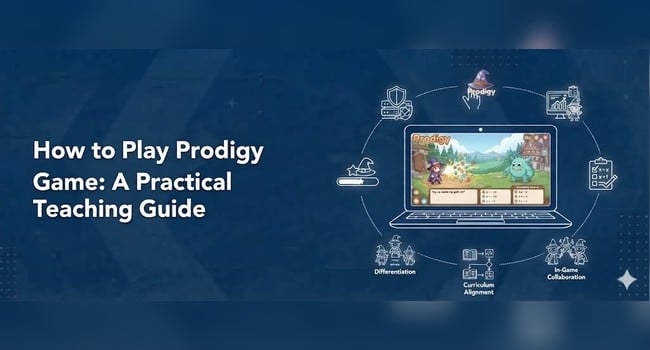
How to Play Prodigy: A Guide for Students and Teachers
Looking for a way to make mathematics practice more engaging? Prodigy Math combines curriculum-aligned math questions with an adventure game in which students explore a virtual world, develop characters, and participate in battles.
For students, the experience feels like playing a game. For teachers, it offers another way to provide practice, assign skills, and identify concepts that need further attention.
However, getting started can raise several questions. Where do students log in? How do they answer math questions during battles? How can they connect their accounts to a teacher’s class? And how can parents and teachers make sure gameplay supports learning?
This guide answers those questions with practical, step-by-step instructions. Whether you are a student opening Prodigy for the first time, a parent helping a child get started, or a teacher planning a classroom activity, you will learn how the game works and how to use it purposefully.
What Is Prodigy Math Game?
Prodigy Math is a game-based learning platform that combines mathematics practice with role-playing gameplay.
Students create a character, explore the game world, encounter creatures, and answer math questions as they progress. Correct answers help them advance through the game’s activities.
The mathematics questions remain central to the experience. Students may need to solve calculations, recognize number patterns, work with fractions, or apply other mathematical skills depending on the content and their progress.
Prodigy describes its Math product as supporting curriculum-aligned learning for Grades 1 through 8. Its separate English product provides language arts practice for Grades 1 through 6.
This guide focuses on Prodigy Math.
You can visit the official Prodigy website to explore the platform.
Is Prodigy Math Free to Play?
Prodigy states that its educational math content is free for students and that teachers can access its educator platform without a subscription fee. Optional paid memberships may provide additional features or content for families.
The exact benefits depend on the account type and the current product offering. Parents should review the membership details before purchasing anything.
For teachers, the educator platform includes classroom tools such as assignments and student progress reports. These features help teachers connect gameplay with their mathematics instruction.
For students, the basic process is straightforward: sign in, select Prodigy Math, and begin playing.
Official resource: Prodigy for Educators.
How to Play Prodigy Math Game
If you are a student or parent, follow these steps to get started.
Step 1: Open the Official Prodigy Login Page
Visit the official student game website:
You can also open the main Prodigy website and select the option to play.
Use the official website rather than an unfamiliar third-party page. This helps you avoid incorrect login instructions and unofficial copies of the game.
Step 2: Log In to Your Account
Enter your Prodigy username and password, then select the login option.
Depending on how the account was created or connected, students may also be able to sign in using a supported school login service, such as Google, Apple, Clever, or ClassLink.
If you are helping a child who already has an account, use the existing login details rather than creating another account unnecessarily.
If the username or password does not work, check the spelling and account information before trying again.
For current instructions, consult Prodigy’s official guide: How to Log In and Play Prodigy.
Step 3: Choose Prodigy Math
After logging in, select the Math game if the account offers a choice between Math and English.
The game will load and guide the student through the available starting steps.
New players may need to create or customize a character before exploring the game.
Encourage children to follow the on-screen instructions rather than skipping through unfamiliar menus.
Step 4: Create or Customize Your Character
Prodigy Math uses a role-playing game format. Students can create a character and develop its appearance and in-game features as they progress.
This gives students a recognizable character to use while exploring the game world.
Explain to younger students that character customization is part of the game experience, but the mathematics questions are where they practise their academic skills.
Step 5: Explore the Game World
Once the game begins, students can explore the available areas and encounter activities that lead to mathematics questions.
The precise gameplay experience depends on the current game design and the student’s progress.
Students should follow the instructions shown on the screen and pay attention when the game introduces a new task.
Step 6: Answer the Math Questions
Mathematics questions appear during gameplay, including during battles.
Read each question carefully before selecting an answer. Depending on the question, students may need to calculate, compare quantities, identify a pattern, or apply a mathematical rule.
For example:
Question: What is (36 \div 6)?
A. 5
B. 6
C. 7
D. 8
Correct answer: B. 6
Students should think through the calculation rather than guess simply to move forward.
If a question is difficult, encourage them to use an appropriate strategy, such as drawing a model, recalling a multiplication fact, or working through the steps on paper.
Step 7: Continue Playing and Practising
Students can continue exploring and answering questions as the game progresses.
Prodigy uses adaptive practice to help provide questions suited to student performance. The exact questions a student encounters can vary according to their progress and the platform’s current learning design.
Students should focus on understanding the questions, not just completing as many as possible.
A useful habit is to pause after a challenging question and explain why the answer makes sense.
How Does Prodigy Math Gameplay Work?
Prodigy combines mathematics questions with an adventure-style game environment.
The game context gives students a reason to continue practising, while the questions provide opportunities to apply mathematical skills.
Here is a simplified view of the process:
- The student logs in and opens Prodigy Math.
- The student explores the game world.
- A game activity presents a mathematics question.
- The student works out the answer.
- The answer affects progress through the activity.
- The student continues practising as the game progresses.
For example, a student may encounter a multiplication question during a battle. Solving the question correctly helps the student advance through the activity.
The game provides the setting, but the learning depends on the student’s mathematical thinking.
Parents and teachers can strengthen this connection by asking children to explain how they solved a question.
How to Join a Teacher’s Prodigy Class
Students who use Prodigy as part of a school class may need to connect their accounts to their teacher.
The exact steps depend on how the teacher created the class and whether the school uses an integration such as Google, Clever, or ClassLink.
Step 1: Ask Your Teacher for Instructions
Your teacher may provide a class code or explain how to sign in through your school’s existing account system.
Do not assume that every student must create a new username and password. Some schools use supported login systems to connect students with their classes.
Step 2: Log In Using the Correct Account
Open Prodigy and sign in using the account information your teacher provided or the school login method your class uses.
If you already have a Prodigy account, ask your teacher how to connect it rather than creating a duplicate account.
Step 3: Enter the Class Code if Required
If your teacher uses a class code, follow the instructions provided for your account type and game.
The location of the class-joining option can differ between Prodigy Math and Prodigy English, and the steps may differ according to how the class was set up.
Your teacher can check the current instructions in Prodigy’s official support documentation.
Step 4: Confirm That You Have Joined the Correct Class
Once you have followed the joining instructions, ask your teacher to confirm that your account appears in the correct class.
This is important because the teacher may use the class connection to assign work and review progress.
For detailed guidance, see How to Add a Student Account to Your Prodigy Class.
How Teachers Can Use Prodigy Math in the Classroom
Teachers can use Prodigy for independent practice, targeted assignments, review activities, and additional practice for students who need support.
The most useful approach is to connect each session to a specific learning objective.
1. Begin With a Clear Learning Goal
Before students open the game, explain the mathematical skill they will practise.
For example:
“Today, we are practising equivalent fractions. Pay attention to how two different fractions can represent the same value.”
This gives students a purpose beyond progressing through the game.
2. Assign Relevant Skills
Where the available teacher tools allow it, select assignments that match the current lesson or a skill students need to revisit.
Suppose your class is learning multiplication with larger numbers. A focused assignment can provide additional practice related to that skill.
Check the current educator dashboard for the available assignment options.
3. Set a Reasonable Time Limit
Plan how long students should play and what they should do afterward.
A short session may be enough for revision or a quick practice activity. Students who need additional support may benefit from a different combination of direct instruction, guided practice, and digital activities.
Avoid using gameplay time as a substitute for explaining a concept that students do not yet understand.
4. Monitor Student Participation
As students play, observe whether they can access their accounts, understand the task, and work independently.
Some students may need help reading a question, recalling a mathematical procedure, or navigating the platform.
Provide support when necessary rather than assuming that every student will benefit from the same activity in the same way.
5. Review Available Progress Information
Prodigy’s teacher tools can help educators review student activity and performance through available reports and assessment features.
Use the information to identify possible learning gaps, then compare it with classroom observations, written work, quizzes, and student explanations.
A report can suggest where to investigate. It should not be the only evidence used to judge a student’s mathematical understanding.
A Classroom Example: Teaching Fractions With Prodigy
Imagine that a Grade 5 class is learning to identify equivalent fractions.
The learning objective is:
“By the end of the lesson, students will identify equivalent fractions and explain why they represent the same value.”
The teacher begins with a visual example using fraction strips. Students compare one-half with two-fourths and discuss why the two representations are equal.
Next, students complete a short guided activity with the teacher.
The teacher then assigns a suitable Prodigy practice activity, where available, to provide further opportunities to work with the relevant skills.
After the game, students answer an exit question:
“Explain why two-fourths is equivalent to one-half. Use a drawing or words to support your answer.”
The teacher reviews the responses to determine whether students understand the relationship or need further instruction.
This lesson uses the game as a practice opportunity, while the teacher remains responsible for explaining the concept and checking understanding.
How to Use Prodigy for Formative Assessment
Formative assessment is the process of gathering evidence of learning and using it to decide what to teach or practise next.
Prodigy can contribute to this process by providing information about student activity and performance through its available educator tools.
However, teachers should interpret the information carefully.
Look Beyond Completion
A student who completes an activity has participated, but completion alone does not prove mastery.
Look for evidence of accuracy, the types of skills involved, and patterns in the student’s performance.
Identify Common Difficulties
Suppose several students struggle with questions involving decimal place value.
That pattern may suggest a need for additional instruction. Before drawing a conclusion, compare the platform’s information with students’ written calculations and explanations.
Plan a Specific Response
If students confuse tenths and hundredths, use a place-value chart and model examples on the board.
Then provide guided practice and check whether students can apply the concept independently.
Reassess Understanding
After teaching the concept again, give students a short question or task that requires them to demonstrate what they have learned.
This closes the assessment loop:
Check understanding → Identify a difficulty → Teach or practise → Check again.
Understanding Prodigy Reports
The educator platform provides reporting tools that can help teachers examine student activity and learning progress. Available reports and features can change, so consult the current dashboard and official help center for the latest instructions.
Depending on the feature and activity, teachers may find information about:
- Performance on assigned activities or assessments
- Initial placement information
- Progress across skills or mathematical areas
- More detailed performance information for particular skills
- Student question-answering activity
Use these reports to develop questions about learning rather than simply ranking students.
For example:
- Which mathematical skill needs another explanation?
- Are several students having difficulty with the same concept?
- Does a student’s written work support the pattern shown in the report?
- Which students need more guided practice?
- Which students are ready for additional challenge?
Avoid treating question counts or time spent playing as direct measures of mastery.
How Parents Can Help Children Play Prodigy
Parents can support productive gameplay by creating a suitable routine and showing interest in what children are learning.
Establish a Clear Purpose
Instead of saying, “Play Prodigy for a while,” ask your child to complete an assigned practice activity or focus on a particular skill when the teacher has provided one.
Ask About the Mathematics
After a session, ask questions such as:
- What kind of math question did you solve?
- Which question was difficult?
- How did you work out the answer?
- Can you show me another way to solve it?
These conversations help children explain their reasoning instead of focusing only on the game.
Balance Gameplay With Other Activities
Children also need opportunities to practise mathematics using paper, manipulatives, discussion, and real-world problems.
Prodigy can supplement those activities, but it should not become the only form of mathematics practice.
Check Account and Membership Details
If you are setting up an account for a child, use the official Prodigy website and review the current account and membership information.
For login help, see How Parents Can Log In to Prodigy.
Common Prodigy Problems and How to Solve Them
I Cannot Log In to Prodigy
First, check that you are using the correct username and password.
If your school uses Google, Apple, Clever, or ClassLink, select the login method connected to your account.
If the problem continues, ask your teacher or parent to help verify the account information.
Official help: How to Log In and Play Prodigy.
I Cannot Find the Math Game
After logging in, look for the option to choose the game you want to play. Select Prodigy Math rather than Prodigy English if your goal is mathematics practice.
If the available choices look different, follow the current on-screen instructions or consult Prodigy’s help center.
My Teacher Cannot See My Account
Check whether you have joined the correct class and are using the account your teacher expects.
If your school uses an integrated login system, make sure you are following the correct sign-in process.
Ask your teacher to check the class roster and confirm the appropriate joining procedure.
Prodigy Is Not Loading Properly
Check your internet connection and make sure your browser or device is supported.
Try reloading the page. If the problem continues, consult the official support information for compatible devices and browsers.
Avoid sharing passwords or other private account information when asking for help.
The Questions Seem Too Difficult
Pause and work through the mathematics carefully.
Try writing down the calculation, drawing a diagram, or reviewing the concept with a teacher or parent.
Teachers can also review available progress information and consider whether the student needs prerequisite practice or a different instructional approach.
Prodigy Math vs. Traditional Math Worksheets
Both digital games and worksheets can support mathematics practice, but they serve somewhat different purposes.
| Feature | Prodigy Math | Traditional worksheets |
|---|---|---|
| Game-based experience | Yes | Usually no |
| Digital interaction | Yes | Depends on format |
| Adaptive practice | Supported by the platform | Usually requires teacher adjustment |
| Written explanations | May be limited by the activity | Easy to include |
| Hands-on mathematics | Requires additional activities | Can be combined with manipulatives |
| Teacher interpretation | Uses available platform information | Often requires manual review |
| Classroom discussion | Requires teacher planning | Requires teacher planning |
The choice is not necessarily one or the other.
Use Prodigy when digital practice supports the lesson. Use worksheets, discussions, demonstrations, and practical activities when they better support the intended learning.
A Simple 30-Minute Prodigy Math Lesson
Here is a sample lesson structure for a class that has already received instruction on the target skill.
| Time | Activity |
|---|---|
| 5 minutes | Review the learning objective |
| 7 minutes | Model an example and answer student questions |
| 10 minutes | Students complete targeted Prodigy practice |
| 5 minutes | Discuss common difficulties |
| 3 minutes | Complete an exit question |
Adjust the timings according to your students’ needs and the available technology.
If students do not yet understand the concept, spend more time teaching and modelling before asking them to practise independently.
Prodigy Math Checklist for Teachers
Before using Prodigy in a lesson, check the following.
Before the activity
- Identify the mathematics learning objective.
- Confirm that students can access their accounts.
- Select an appropriate skill or assignment, if available.
- Explain the purpose of the activity.
- Decide how much lesson time to allocate.
During the activity
- Check that students can navigate the game.
- Observe students who appear to be struggling.
- Provide help when needed.
- Keep the activity connected to the lesson objective.
- Avoid treating the leaderboard as the only measure of success.
After the activity
- Review available progress information.
- Identify skills that need more attention.
- Compare digital activity with classroom evidence.
- Plan additional practice or enrichment.
- Check understanding through a question, discussion, or written task.
Frequently Asked Questions
How do you play Prodigy Math?
Visit the official Prodigy game website, log in, choose Prodigy Math, and follow the on-screen instructions. Students explore the game world and answer mathematics questions during gameplay.
Where do students log in to Prodigy?
Students can visit play.prodigygame.com and sign in using their account details or an available supported school login method.
Is Prodigy Math free?
Prodigy states that its educational Math content is free for students and that its teacher platform is free for educators. Optional paid family memberships may provide additional features or content.
Can students play Prodigy at home?
Yes. Students can access Prodigy outside school when they have a suitable device, internet access, and working account credentials.
How do students join a Prodigy class?
Students follow their teacher’s instructions to connect their accounts. Depending on the class setup, this may involve entering a class code or signing in through a supported school integration.
Can teachers assign specific mathematics skills?
Prodigy’s educator platform provides assignment tools that allow teachers to select skills for practice. The available options should be checked in the current teacher dashboard.
Does Prodigy adjust questions to student performance?
Prodigy describes its Math product as using adaptive practice. The questions students encounter can vary according to their performance and progress.
Can Prodigy replace classroom mathematics instruction?
No. It can provide additional practice, but students still benefit from teacher explanations, worked examples, hands-on activities, mathematical discussion, and other assessments.
How can teachers check whether students are learning?
Use available Prodigy reports alongside classwork, quizzes, student explanations, and observations. Look for patterns in performance and use those patterns to plan further instruction.
Final Thoughts
Prodigy Math can make mathematics practice more engaging by placing questions inside an adventure game. Getting started is simple once students know how to log in, choose the Math game, and follow the on-screen instructions.
For students, the aim is to solve questions thoughtfully and learn from difficult problems. For parents, the aim is to encourage a healthy balance between gameplay and other learning activities. For teachers, the greatest value comes from connecting practice to a learning objective and using available evidence to plan what happens next.
The game can encourage students to keep practising, but progress depends on more than time spent playing.
Teach the concept, provide opportunities to practise, and use student responses to decide what support is needed next.
That is how Prodigy becomes a useful part of mathematics learning rather than simply another screen activity.